This blog provides detailed information on peoplesoft Upgrade or Upgrades, the steps involved, sample peoplesoft upgrade project plan and variuos issues invloved during its process. This blog should help in bringing in different peoplesoft customers experience in thier variuos upgrade projects.use this blog as a knowledge base for PeopleSoft Upgrade Process.
Top PeopleSoft Jobs
Best PeopleSoft Jobs
Thursday, November 8, 2012
New UPGCUST PeopleSoft Upgrade Compare Process - Part 1
Friday, February 18, 2011
PeopleSoft Upgrade to 9.1 - Part 2
I would suggest you to take a look at this tool:
PeopleSoft's New Interactive Cumulative Feature Overview Tool for Upgrades:
This tool offers a simple way to determine the features developed between PeopleSoft releases to assist in your upgrade implementations.
So go jump on to this links for Upgrades:
FMS, ESA, and ALM Cumulative Feature Overview Tool [ID 793151.1]
PeopleTools Cumulative Feature Overview Tool [ID 793143.1]
HCM Cumulative Feature Overview Tool [ID 793135.1]
SCM and SRM Cumulative Feature Overview Tool [ID 793155.1]
EPM Cumulative Feature Overview Tool [ID 793148.1]
Portal Solutions Cumulative Feature Overview Tool [ID 793160.1]
CRM Cumulative Feature Overview Tool [ID 793147.1]
The new tool helps you plan your upgrades by providing concise descriptions of new and enhanced solutions and functionality that have become available between your starting and target releases.
Also, along with above tool set, use the Release Notes to get more information about each New Feature..This should help you get the notes or topics for Fit-Gap Analysis just for Upgrade.
PeopleSoft Enterprise Human Capital Management 9.1 Release Notes
PeopleSoft Enterprise HCM 9.0 Release Notes
PeopleSoft Enterprise FSCM 9.1 Maintenance Pack #1 Release Notes
PeopleSoft Enterprise Customer Relationship Management 9.1 Release Notes
Release Notes for PeopleSoft Enterprise FMS, SCM, and ESA 9
PeopleSoft Enterprise Campus Solutions 9.0 Release Notes
PeopleSoft Enterprise Portal Solutions 9.1 Release Notes
PeopleSoft Enterprise Performance Management 9.1 Release Notes
PeopleSoft Enterprise 9 Customer Relationship Management Release Notes
PeopleSoft Enterprise Learning Management 9.1 Release Notes
PeopleSoft Enterprise Performance Management 9.0 Release Notes
PeopleSoft Enterprise Learning Management 9.0 Release Notes
Also, you check the Free PeopleSoft PeopleBooks from the below Links:
Use the links in the following table to view the PeopleBooks and PeopleBook Update List for each Oracle PeopleSoft product line:
Tuesday, December 21, 2010
PeopleSoft Upgrade to 9.1 - Part 1
Upgrades to PeopleSoft Enterprise software requires planning, resources, development, testing, and training. Since the first step involves planning, and if you are never been in an upgrade project or know little about upgrades, planning would requires complete knowledge about PeopleSoft Upgrade. If you are in such situation, this series of Upgrade Posts should help you to get started and prepare for the project:
You need to visit the Oracle Support Site for certain document ID to learn about the new release . Oracle calls such Document IDs as Upgrade Home Page.
For Example, if you are planning to do HRMS 8.9 to 9.1 Upgrade, you should be visiting a document id that says as PeopleSoft HRMS 8.9 to 9.1 Upgrade Home Page; In here, you would get information about Certified Upgrade Path, Upgrade Documentation , Demo to Demo Compare Results , Upgrade Templates and more importantly information about "Updates and Fixes Required at Upgrade".
PeopleSoft Enterprise HRMS 8.8x to 9.1 Upgrade Home Page
PeopleSoft Enterprise HRMS 8.9 to 9.1 Upgrade Home Page
PeopleSoft Enterprise HRMS 9.0 to 9.1 Upgrade Home Page
PeopleSoft Enterprise Financials/Supply Chain Management 9.0 to 9.1 Upgrade Home Page
PeopleSoft Enterprise Financials/Supply Chain Management 8.9 to 9.1 Upgrade Home Page
PeopleSoft Enterprise Portal Solutions 8.9 to 9.1 Upgrade Home Page
PeopleSoft Enterprise Portal Solutions 9.0 to 9.1 Upgrade Home Page
PeopleSoft Enterprise CRM 8.9 to 9.1 Upgrade Home Page
PeopleSoft Enterprise CRM 9.0 to 9.1 Upgrade Home Page
PeopleSoft Enterprise Portal Solutions 8.9 to 9.1 Upgrade Home Page
PeopleSoft Enterprise Portal Solutions 9.0 to 9.1 Upgrade Home Page
Enterprise PeopleTools 8.50 Hardware and Software Requirements
PeopleSoft Enterprise HRMS 9.1 Hardware and Software Requirements
The Main task of visiting Upgrade Home Page is to collect information and download the documents; Also, you would download the release notes of Application version and as well as Peopletools version. if you are jumping several releases inbetween , make sure you download each release notes. for example, if you are upgrading from 8.9to 9.1, you must download 9.0 and 9.1 release notes; at the technologic level , your new PeopleTools release notes should suffice, but may also require other downloads as well;
If you are planning to upgrade that involves 2 step or double upgrades where there is no supported path, for example, let's say your current release is 8.3; and you are planning to go to 9.1, then your upgrade would involve 2 steps or double upgrades. You typically follow upgrade paths, first you would go for 8.3 to 8.9 and then from 8.9 to 9.1; In this case, you will need to visit 2 upgrade home pages , one for 8.9 and them for 9.1 and also download the release notes;
Another question , you may have it for yourself, is that : Who should be involved in the upgrade process? Do you have the bandwidth in your current team to get it done? or Is it wise to provide the upgrade project entirely to a third party vendor who has done 9.1 upgrades in the past or to Oracle Ugprade lab? or should be that be mix i.e , part of the current team members and some indivial PeopleSoft Upgrade Consultants who are called Upgrade Specialists.. Whichever method you opt for, would need to take care of your budget, training to users and smooth upgrade cut over and suppport;
Wednesday, June 6, 2007
Compare Process

- The Source Database is the source of new changes (usually New Release)
- The Target is the database to which you are moving these changes (Copy of Production or Production Database)
There are 3 steps during the compare process which would need to decide which components you want from the source and then merge them into your target database. The 3 core steps of the compare process that utilize the Application Designer Upgrade tools consist of the following procedures:
Compare Compares the objects between the Source and the Target databases and produces a PeopleSoft Project that identifies objects with differences the 2 databases.
Report Produces reports that detail the differences between the objects in the project Copy Merge the source database and target database using the entries identified during the compare process that have been marked for updates.
The PeopleSoft system uses several system tables PSRELEASE and the various definition tables, to record modified data time and which operator modified the object. This PSRELEASE table contains rows of data for every release level at which the database has ever existed. It has 2 columns, RELEASEDTTM and RELEASELABEL. The first column RELEASEDTTM contains a date time stamp identifying when each release level was stamped. RELEASELABEL identifies the release level. When comparing 2 databases, you can compare on date or on release level. Both methods use data and time to determine the object status. Each PeopleTools Object type record for example, for object type of Records, there is a PeopleTool table called PSRECDEFN, this would include 2 columns like LASTUPDORPID and LASTUPDDTTM which would tell us who the last updated Oprid is and Last updated date time.
There are various Object Status like:
src="http://pagead2.googlesyndication.com/pagead/show_ads.js">
- Unknown The default status of all non-comparable objects
- Absent Found in other DB and not in this one.
- Changed The LASTUPDOPRID value is “PPLSOFT” and its LASTUPDDTTM value is greater than datetime stamp of the Comparison Release database, which indicate the new release has the modified objects
- Unchanged The LASTUPDOPRID value is “PPLSOFT” and its LASTUPDDTTM value is less than or equal to the datetime stamp of the Comparison Release database, which indicate the PeopleSoft last modified the object prior to the
Comparison release. - Changed* The LASTUPDOPRID value is not “PPLSOFT” and its LASTUPDDTTM value is greater than datetime stamp of the Comparison Release database, which indicate the you modified the object since the Comparison release.
- Unchanged* The LASTUPDOPRID value is not “PPLSOFT” and its LASTUPDDTTM value is less than or equal to the datetime stamp of the Comparison Release database, which indicate that you modified the object prior to the Comparison release.
- Same The object has been compared and is defined the same in both the databases.


Once the compare process is done, it assigns default actions for each object depending on what needs to be done to make the Target database consistent with source. The action types include:
- Copy - the Object will be copied to the target database
- Delete - the Object will be deleted from the target database
- CopyProp - For Record Definitions Properties, choose to copy the
record properties without copying Record Fields. - None - Appears if the objects are identical in the source and target database.

Review Hardware and Software Environment
For Example, before you begin a upgrade, make sure that you are on supported release for the upgrade to PeopleSoft 9.0. Ensure that you have reviewed this guide thorougly and begin the acquisition process for any hardware and software upgrades that are not delievered by PeopleSoft. You can find this document by navigating :
- Implement, Optimize, and Upgrade
- Upgrade Guide
- Upgrade Documentation and Scripts
- Hardware and Software Requirements
Also, check the PeopleSoft New Release notes that would provide the information on platforms that are certified.
- Implement, Optimize, and Upgrade
- Upgrade Guide
- Upgrade Documentation and Scripts
- Release Notes
- Enterprise
- PeopleTools
Planning the Upgrade Process
When you develop a Project Charter, you would have to present to the Management as to show the Benefits of this process, summary and background of the upgrade project, its objectives and the scoping and its risks.
Also, a detailed project plan should be developed that has the entire roadmap that defines each and every tasks, deliverables, milestones, work hours, resource allocations and timing. The plan should include all appropriate tasks and resources accountable for on-time completion. Please check the attached Sample Project Plan that can be used for your project. Also, please leave comments on what other things that can be included in the plan. The Sample project plan is for PeopleSoft HRMS Upgrade from 8.3 to 8.9 that includes initial pass and test move to production
The most important task during the Planning Phase is to do an assessment on your hardware and software environment. This would address the technical infrastructure required for the new PeopleSoft Release. This is critical for a smooth and successful upgrade process. Check the hardware and software requirement from the PS CC website and also platforms supported. Also, you would look into the customization level of your production environment to categorize them as easy, medium or complex level.
The length of the PeopleSoft Upgrade project depends on many factors. Some of the most common factors are: The level of cutomizations (easy , medium , complex), the number of resources available, your environment, the number of modules implemented, if you are considering the implement new functionality, your budget etc.
PeopleSoft provides an upgrade home page for each release (each major releases, product updates and service pack releases). Each home page contains the certified upgrade path for that release, the upgrade instructions, and the paths to fixes that are required for upgrade.
The navigation for this home page in PeopleSoft Customer Connection is:
- Implement, Optimize, and Upgrade
- Upgrade Guide
- Upgrade Documentation and Scripts
- Release
- Enterprise
- HRMS
- PeopleSoft 9.0
Make sure that you are on the supported PeopleSoft release for the upgrade to PeopleSoft new version as listed on the Upgrade Documentation Page.
Identifying Project Team Members:
An important part of your upgrade process involves having key resource personnel. They can be either dedicated or partially dedicated. The following are the important upgrade roles that should be considered during the project:
Upgrade Project Manager: This member must be familiar with the upgrade process.This individual must be able to make management decisions and resolve issues that impact the progress of the upgrade project.
Upgrade Specialist or Technical Upgrade Resource: This individual must be familiar with PeopleSoft upgrades, RDBMS, SQL, PeopleTools, Change Assistant Tool, Data Management Tool, Application Engine and PeopleSoft Configuration and Administration. This member will execute and manage all technical upgrade tasks and will log all upgrade steps. Resolves issues with DBA or System Admin. Oversees all necessary checklists to ensure completion of the upgrade.
Database Administrator:The DBA must be a dedicated upgrade resource and will help in reviewing the scripts and to modify them if necessary. Monitor closely the database and provide support, perform back-ups and recoveries. Also help in troubleshooting and tuning the database.
Network/System Administrator: A part time member, will help in managing the network security and connectivity, troubleshoot network issues, Manage logins, passwords and system security etc
Developers: PeopleSoft Developers must be familiar with the customizations, they would need to have good amount of experience in SQR, COBOL, PeopleTools, Application Engine, PeopleCode, Crystal etc. They would help in Retrofit Customizations, Unit, System and Interface Test the change and document all the changes.
Functional Resource: These key members must be familiar with your business process and customizations. This member must be familiar with new release functionality as well. This key individual must review Release notes, identify customizations, create and execute test plans, document all issues etc
Tuesday, June 5, 2007
Understanding the Upgrade Process

Steps involved in PeopleSoft Upgrade Process
- Planning the Upgrade Process
- Understand the Upgrade Process
- Review Hardware and Software Environment
- Install Demo Software
- Apply Updates required for Upgrade
- Installing and Configuring Change Assistant
- Process Initial Pass
- Compare Process
- Data Conversion
- Applying Customizations
- Testing the Initial Pass process
- Test Move to Production
- Final Move to Production or Cut-Over
What is PeopleSoft Upgrade?
PeopleSoft uses the term “Upgrade” in a special sense – an upgrade is the migration of any object or objects from one PeopleSoft Database to another, and the subsequent adjustment of the PeopleSoft system to accommodate the new objects.
When you upgrade to new PeopleSoft Release you are provided with a new database, as well as the information you need to adjust your system components – COBOL statement, SQR’s, the system messages and so on, to work with objects in the new database.
· Application Tables and other definitions like Records, Pages, Menus, so forth.
PeopleTools Tables contain the PS no underscore tables and their companion tables contain the data dictionary for PeopleSoft Applications.Application Tables contain the PS_ tables that contain the online Application
A PeopleSoft upgrade requires a lot of planning, time, resources, testing, and development.When upgrading to a new release of PeopleSoft it may be required to upgrade the hardware and software environment; You may have to install new RDMS software, new server machines, upgrade third party tools that make up the complete environment and all of this software should be supported by PeopleSoft. For this you need to consult the Hardware and Software Guide or the Platforms Supported from PeopleSoft Connections.
The PeopleSoft Upgrade process streamlines copying system objects such as records, pages and PeopleCode from one PeopleSoft database to another and finally into your current production database.

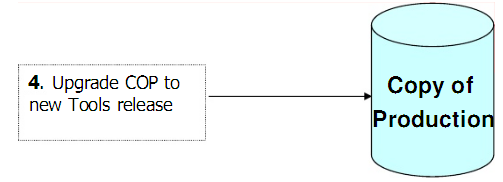
When you do upgrade to a new PeopleSoft release, several upgrade passes are required to ensure that whenyou perform the final pass your upgraded production database performs as you expect. You must complete allof these passes to complete your upgrade. The first pass is called the initial pass. In this pass, you create a copyof your production database referred to as Copy of Production. You then take the delivered database (the onewith the new PeopleSoft release delivered with your product) called the Demo database, and incorporate themodified objects into the Copy of Production to create your first upgraded Copy of Production. In this passyour Demo database is your Source and the Copy of Production is the Target.
After you complete the initial pass, you begin the first test Move to Production pass. In this pass you createanother copy of your production database called the New Copy of Production. You take the upgraded Copy ofProduction (the one created in the initial pass) and incorporate the modified objects into the New Copy ofProduction to create your second upgraded Copy of Production. In this pass, the upgraded Copy of Production(from the initial pass) becomes your Source and the New Copy of Production becomes your Target.The test Move to Production is repeated until it runs smoothly. A New Copy of Production is created for everytest Move to Production pass and is the new Target for each pass.
When you are ready for the final Move to Production pass, you freeze your production database andincorporate the modified objects from your most recent upgraded Copy of Production into the productiondatabase itself. Once again the upgraded Copy of Production (from the test move to productions) is yourSource and your production database is the Target.